Understanding the Work in Progress Icon: A Key Symbol in Modern Project Development
The Work in Progress (WIP) icon is a versatile and widely recognized symbol used across various fields, including project management, web design, infographics, and more. This article will explore what the WIP icon is, its significance, and how it can be effectively used in different contexts.
What is a Work in Progress Icon?
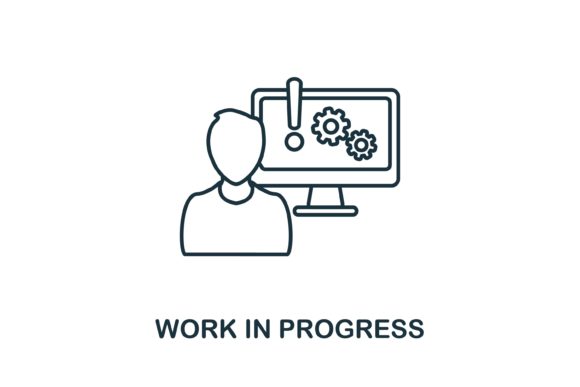
A Work in Progress icon is a visual indicator that signifies a task or project is currently under development and not yet complete. It often features a simple, clear design, such as a construction sign or a clock, to convey the message of ongoing work. The WIP icon is part of a broader collection of project development symbols designed to help teams and individuals communicate the status of their tasks efficiently.
Purpose and Significance of the WIP Icon
The primary purpose of the WIP icon is to provide a quick and easy way to identify and track projects or tasks that are still in the development phase. This is particularly useful in environments where multiple projects are being managed simultaneously, such as in software development, construction, or creative design. The WIP icon helps to:
- Improve Communication: By clearly indicating which tasks are still in progress, the icon helps to prevent misunderstandings and ensures that everyone is on the same page.
- Enhance Transparency: It promotes transparency by making it easy for all stakeholders to see the current status of a project at a glance.
- Boost Productivity: Teams can focus on the most critical tasks and avoid duplicating efforts, leading to more efficient project management.
Practical Applications of the WIP Icon
The WIP icon finds application in a variety of settings, each with its unique requirements and benefits. Here are some common use cases:
Project Management
In project management, the WIP icon is used on Gantt charts, Kanban boards, and other project tracking tools. For example, in a software development project, a WIP icon might be placed next to a feature that is currently being coded but not yet tested. This helps the team to prioritize and allocate resources effectively.
Web Design and Infographics
Web designers and infographic creators often use the WIP icon to indicate sections of a website or infographic that are still being developed. This is especially useful during the design review process, where feedback is gathered from multiple stakeholders. The WIP icon can be used to highlight areas that need further refinement or additional content.
Education and Training
In educational settings, the WIP icon can be used to mark assignments or projects that students are still working on. This helps teachers and students to keep track of progress and deadlines, promoting better time management and organization skills.
Types of WIP Icons and Their Uses
There are several types of WIP icons, each with its specific design and intended use. Common styles include:
- Construction Sign: A classic WIP icon featuring a construction sign, often used in physical projects like building and renovation.
- Clock: A clock icon, symbolizing the passage of time and ongoing work, commonly used in digital and creative projects.
- Gear: A gear icon, representing the mechanical and technical aspects of a project, often used in engineering and technology fields.
How to Use the WIP Icon Effectively
To make the most of the WIP icon, consider the following tips:
- Consistency: Use the same WIP icon throughout your project to maintain consistency and clarity.
- Placement: Place the WIP icon in a prominent and easily visible location, such as the top corner of a document or the header of a webpage.
- Documentation: Document the use of the WIP icon in your project guidelines to ensure that all team members understand its meaning and usage.
Common Misunderstandings and Clarifications
One common misunderstanding about the WIP icon is that it only applies to large, complex projects. In reality, the WIP icon can be used in any context where there is a need to indicate ongoing work, whether it's a small task or a major project. Another misconception is that the WIP icon is only for internal use. However, it can also be used externally, such as on a website, to inform users that certain features are still under development.
Conclusion
The Work in Progress icon is a valuable tool for enhancing communication, transparency, and productivity in various fields. Whether you're managing a complex project, designing a website, or creating an infographic, the WIP icon can help you keep track of your work and ensure that all stakeholders are informed. By understanding its purpose, significance, and practical applications, you can leverage the WIP icon to improve your project management and creative processes.
Get Your WIP Icon Files Now
When you download the WIP icon, you will receive the following file formats:
- EPS file: Vector format suitable for high-quality printing and scalable graphics.
- JPG file: Raster format for web and general use.
- AI file: Adobe Illustrator file for advanced editing and customization.
- SVG file: Scalable vector graphic format for web and mobile applications.
These files are easy to edit and use, making them ideal for a wide range of projects. Start using the WIP icon today to streamline your project management and creative processes!